




By combining HTML and Typescript functionality, Angular projects make it easy to create single-page client applications. Working on some Real-time angular projects is an awesome way to develop your skills and gain hands-on experience. Mastering the architecture of web frameworks is best accomplished through an activity-based learning approach.
It is essential for budding software engineers to work on their own projects when pursuing a career in the field. The best method to refine your talents and turn your theoretical knowledge into practical experience is to work on real-world projects. Working on Angular projects provides hands-on experience and is suitable for both beginners and those learning Angular.
You would not only be able to test your skills and limitations as you work on angular projects, but you will also earn exposure that will help you advance in your career. Creating a portfolio of Angular projects significantly improves job readiness, as it showcases practical experience and problem-solving abilities to potential employers. This article will show you how to create fun angular projects for beginners to try out.
Let’s get started with the Best Angular Projects For Beginners list that will prepare you well with the basics and practical needs in angular development.
Key Summary
Top 15 Projects
- Soundnode: Desktop music streaming app with Soundcloud API, Angular, and Electron.
- Notepad Application: Note-taking app using Angular CLI and Bootstrap.
- Data Binding in Forms: Explores template-driven and reactive forms with validators.
- Customer Service Manager: CRUD app with MongoDB, Angular, and Node.js.
- Angular Bare Bones: Basic project with routing and components.
- Angular Hello World: Starter project for Angular and TypeScript basics.
- Admin Panel Framework: Customizable admin panel with Bootstrap and Sass.
- Standard Chat Application: Chat app with Angular CLI and RxJS services.
- Angular 2 Chess Game: Plugin-based chess UI with variant support.
- URL Shortener: Link management app with TypeScript and MongoDB.
- AngularJS Google Maps: Integrates Google Maps with Angular directives.
- Storybook: Tool for isolated UI component development.
- Angular Jumpstart: Full app with routing, components, and forms.
- Compodoc: Documentation tool for Angular apps with themes.
- AngularSpree: E-commerce frontend for AviaCommerce API.
- Quiz App: Build a quiz app that implements multiple-choice questions, tracks user scores, and creates interactive, responsive interfaces using Angular Material. This project is great for practicing user input, event handling, and state management fundamentals.
Technologies used across these Angular projects include Angular, TypeScript, RxJS, APIs, and external libraries such as Angular Material and Bootstrap.
These projects help you develop key skills for Angular projects, including CRUD operations, TypeScript, RxJS, and component-based architecture.
Introduction to Angular
Angular is a leading JavaScript framework designed for building robust and scalable web apps. Whether you’re creating a simple landing page or developing complex applications for enterprise use, Angular provides a solid structure and a comprehensive set of tools to streamline your workflow. Its modular framework allows developers to organize code efficiently, making it easier to manage large projects and maintain high performance. With Angular, you can create interactive single-page applications that deliver a seamless user experience across devices. The framework’s popularity comes from its ability to handle everything from basic websites to advanced, data-driven applications, making it an essential tool for anyone looking to master modern web development with JavaScript.
Getting Started with Angular Components
Angular components are at the heart of every Angular app, acting as the fundamental building blocks that define the user interface and its behavior. Each component encapsulates its own data, template, and logic, making it easy to manage and reuse across your project. For beginners, learning how to create and use Angular components is a crucial first step. Start with simple projects like a to-do list app, where you can practice CRUD functionality and basic data binding using both template-driven and reactive forms. As you gain confidence, try building a weather app that fetches real-time data from an external API, demonstrating how Angular components can handle complex applications and dynamic content. By mastering components, you’ll unlock the full potential of Angular’s powerful framework and be well-equipped to build feature-rich web apps.
API Integration in Angular
API integration is a critical skill for any Angular developer, enabling your apps to connect with external data sources and deliver dynamic content to users. Angular’s built-in HTTP client makes it straightforward to send HTTP requests and handle responses, while RxJS helps manage asynchronous data streams efficiently. For example, you can create a joke generator app that fetches random jokes from a public API and displays them instantly, or build a Soundnode audio platform that streams music by integrating with multiple APIs. These projects not only demonstrate the power of API integration in Angular but also show how you can build complex applications that interact with real-time data from around the world. Mastering API integration will allow you to create engaging, data-driven apps that stand out in today’s digital landscape.
CRUD Operations and Database Integration
CRUD operations—Create, Read, Update, and Delete—are the backbone of any interactive web application. Angular’s framework makes it easy to implement CRUD functionality, especially when combined with reactive forms for handling user input and validation. Beginners can start with a to-do list app, where users can add, view, edit, and remove tasks, practicing essential CRUD operations in a real-world context. As you progress, try building a chat application that leverages Angular’s real-time data capabilities, allowing users to send and receive messages instantly. By integrating with a backend database, you’ll learn how to manage data persistence and user interactions effectively. Mastering CRUD operations and database integration in Angular is key to developing robust, user-friendly apps that can scale with your ambitions.
Source Code and Documentation
Well-organized source code and thorough documentation are vital for any successful Angular project. Hosting your code on platforms like GitHub not only helps you track changes but also makes it easy to share your work with others. Incorporating Angular Material can give your admin panel or dashboard a polished, professional look, while integrating features like Google Maps or public APIs can add valuable functionality to your app. Clear documentation—covering your project’s structure, components, and configuration—serves as a fantastic way to showcase your skills to potential employers and collaborators. By prioritizing clean code and comprehensive documentation, you’ll ensure your Angular projects are maintainable, scalable, and ready to impress in any portfolio.
TOP 15 Angular Projects for beginners
Before we get started with the project ideas, let’s have a look at the list we have compiled for you! These Angular project ideas are suitable for beginners and cover a range of skill levels from simple to advanced.
- Soundnode
- Notepad application
- Data binding in forms
- Customer service manager
- Angular Bare bones project
- Angular Hello world project
- Admin panel framework
- Standard Chat Application
- Angular 2 Chess game
- URL shortener
- AngularJS Google Maps
- Storybook
- Angular Jumpstart
- Compodoc
- AngularSpree
1. Soundnode

Soundnode is one of the best angular projects for beginners, to try their skills on. Young programmers can build Soundcloud projects for desktop applications with an electron, Nodejs, and angular. The documentation is freely available on the GitHub repository.
Update Apache Fluo Speeds Small Updates to Big Data
It is an open-source project that relies on Soundcloud API to support music streaming for Windows, Mac, and Linux. Soundnode handles media files such as audio (and optionally videos if supported), allowing users to stream and manage their files. User authentication is required for personalized features like playlists and following users. Apart from display and stream functionalities, you can easily navigate your search for new music-like tracks, create playlists, and follow/ unfollow users. Developing a music streaming platform like Soundnode involves handling media files, user authentication, and real-time updates, making it a significant advanced Angular project.
Although Soundcloud lets 3rd party apps play up to 15000 tracks/day, you can still listen to the same number of audio pieces the next day.
This sounds like a really cool project idea to upgrade your skill and have fun.
2. Notepad Application

A notepad application is a classic example of angular projects for beginners, where you can build it with NodeJs, Angular CLI, and bootstrap using Node Package Manager.
A note-taking app is like a digital notebook where you can create and store notes. You can jot down text in the app and view it upon returning to the window, editing, or deleting the records if required. The notes are organized according to the dates when users have last opened them.
3. Data Binding in Forms
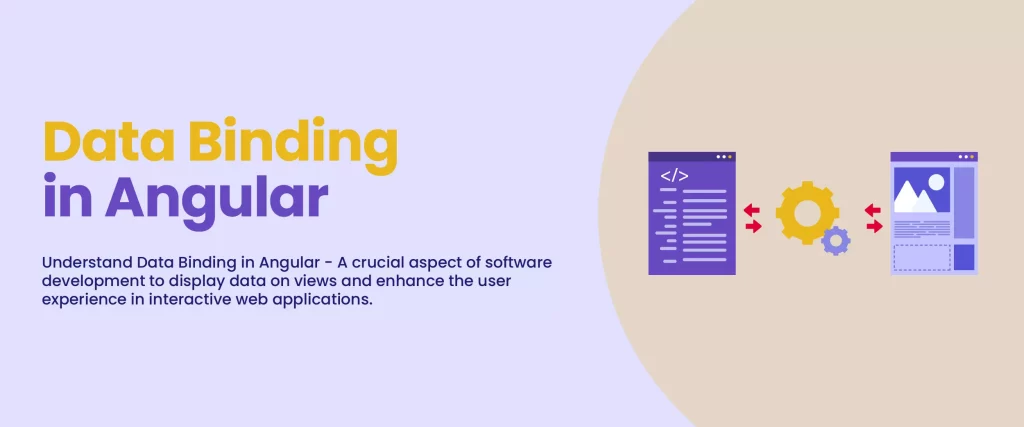
The Angular Forms project is another Angular Beginner Assignment that can help you get acquainted with the inner workings of architecture. It demonstrates the approaches of template-driven (with NgModel) and reactive forms and how they can be tied with a backend service.
In addition, it discusses various examples of form validation, including custom validators, binding to different form controls, and accessing submitted data. This one is a very simple and easy-to-understand angular project for all coding beginners.
4. Customer Service Manager
The title of this angular project for beginners is ‘Integrating Angular with Node.js RESTful Services.’ This project demonstrates how to integrate Angular with Node.js RESTful services, using MongoDB as the backend database to perform CRUD (Create, Read, Update, and Delete) operations.
You can run it locally or use the Docker container option. Template-driven and reactive forms, custom components, and RxJS observables are some of the concepts covered under this customer service app.
5. Angular Bare Bones Project
This is an excellent angular project for beginners that helps you understand the basics of building a single page application (SPA) with Angular. It teaches you about Angular routing as a simple service or with multiple components. Its easy-to-understand code makes it a beginner’s favorite project to start with.
Angular Bare Bones project takes things forward from the ‘Hello World’ project and adds basic Angular routing, multiple components as well as a simple service, demonstrating how SPAs enable seamless navigation between views without full page reloads.
It’s a good project for learning to see how many key features of Angular and TypeScript can be tied together while keeping the code simple overall.
6. Angular Hello World Project
The Angular Hello World project provides a basic starter project for programmers who are new to Angular (version 2 or higher) and TypeScript.
It provides a basic look at the project structure, using package.json and npm to load Angular modules, as well as TypeScript compilation with tsconfig.json.
The project contains a single module and component, if you want to experiment with various angular features in a simple environment then this is the right project for you.
Update What Every Developer Should Know about Machine Learning
Although ‘Hello World’ is a very basic project, it provides support for Webpack and Angular’s Ahead-of-Time (AOT) com.
Also Read | Why Choose Angular For Web Development Project?
7. Admin Panel Framework
One of the best ideas to start hands-on angular projects for beginners is working on the Admin panel framework. You can practice designing a customizable admin panel framework with the BlurAdmin project.
This Angular2-based project uses Bootstrap, Sass, AngularJs, Jquery, charts, etc. It is an MIT-licensed solution that comes with easy customization, responsive layouts, and high-resolution templates – all free of cost. You can also focus on user experience by adding features such as auto-focusing input fields on page load, which improves accessibility and usability for admin users.
8. Standard Chat Application
This is one of the most basic angular projects for beginners which every new programmer must try their hand on. To accomplish the goal, you apply Angular CLI, RxJS, write injectable services using Angular 2, and more.
A typical chat application comprises 3 main models, namely: Message, Thread, and User. These models hold individual chat messages, metadata for a group of messages, and data on individual users, respectively.
Also, there are specific services to manage the streams for each of the models.
9. Angular 2 Chess Game
It is a plugin-oriented chess component meant for Angular applications. In other words, this module is a shell UI with plugins. Since numerous chess implementations already exist, a plugin system wraps up the work and saves time.
Moreover, the Angular 2 chess game supports a variety of game variants. You can use the Engine plugin for games having different rules and the UI alternative for 3D and native implementations.
Github – Angular Chess Game
10. URL Shortener
This is one of the trending angular projects. Polr is an open-source web application written in PHP and powered by Lumen. It uses MySQL as the primary database and provides a robust interface to manage your links.
You can host it on your domain to shorten URLs, brand them, and provide an overall modern theme. You can download and go through the Polr repository to familiarize yourself with the tool.
Even you can develop your own URL shortener along the same lines leveraging TypeScript, Express, and MongoDB.
11. AngularJS Google Maps

This is another one of the interesting angular projects for beginners to create. AGM is a CoffeeScript and Javascript-based library that allows you to set up Google maps within your Angular applications.
It holds directives for a range of objects, such as markers, lines, windows, and shapes. With AGM, you can easily target specific map elements or locations—such as focusing on a marker, highlighting a destination, or interacting with particular map features—directly within your Angular application. You can easily find the source code for AGM as it is hosted on GitHub.
Do make sure that you have installed Node.js before beginning with this project!
12. Storybook
This is an open-source tool that is explicitly created for building UI components in isolation for Angular, React, and Vue. Storybook serves as a specialized development environment, allowing developers to build, test, and refine UI components independently from the main application. It is unique as it can run outside of an application, thereby making it possible to develop UI components in isolation.
Update The Case for True Data Mobility
When you build UI components this way, it improves the reusability and testability factors of an app and also boosts the development speed.
Storybook also enables you to document UI components, making it easier to generate, share, and maintain comprehensive documentation for your Angular projects. It boasts of an easy-to-use API that you can configure in minutes and also extend to fit your dynamic needs. It includes numerous add-on features for component design, documentation, testing, etc.
With Storybook, you need not worry about application-specific dependencies.
13. Angular Jumpstart
The Angular JumpStart project provides a complete application that demonstrates many key features provided by the Angular framework.
Some of the project features include:
- TypeScript classes and modules
- Modules are loaded with System.js
- Defining routes including child routes and lazy loaded routes
- Using Custom Components including custom input and output properties
- Using Custom Directives
- Using Custom Pipes
- Defining Properties and Using Events in Components/Directives
- Using the Http object for Ajax calls along with RxJS observables
- Working with Utility and Service classes (such as for sorting and Ajax calls)
- Using Angular databinding Syntax [], () and [()]
- Using template-driven and reactive forms functionality for capturing and validating data
- Optional: Webpack functionality is available for module loading and more (see the readme for details)
- Optional: Ahead-Of-Time (AOT) support is available (see the readme for details)
- Much more!
14. Compodoc
If you are looking for an efficient way to document your Angular projects, Compodoc is just the tool you need! Compodoc can generate static documentation for all Angular applications, making it easy to document code, components, and project structure.
It can generate documentation for the standard Angular APIs, such as components, modules, common classes, injectables, routes, directives, and pipes. Compodoc helps explain the structure and components of your Angular project through comprehensive documentation, which is especially useful for onboarding, collaboration, and interviews.
Compodoc has 8 themes extracted from some of the most popular documentation tools- including Gitbook, Read the Docs, Vagrant, Stripe, Postmark, Laravel, and Material design.
Also, Compodoc has a robust search engine, such as lunr.js, that can easily search and show the information you want to access. The best part is Compodoc provides out-of-the-box support for Angular-CLI projects.
In Compodoc documentations, the content rests on the right side, whereas the primary endpoints are situated on the left side. It uses the elements discovered during parsing to create the table of contents in the documentation.
15. AngularSpree
This is one of the interesting angular projects for beginners, AngularSpree is an e-commerce application. It is a plug-and-play frontend app for AviaCommerce API developed on Angular(7), Redux, and Observables & ImmutableJs.
AngularSpree is a great example of an e-commerce prototype that tests Angular’s state management and routing capabilities. Building a fully functional e-commerce app like AngularSpree involves features such as product browsing, a shopping cart, user authentication, and payment integration, making it a comprehensive project that combines various Angular skills. User authentication is a key feature in e-commerce apps, ensuring secure login, registration, and user-specific functionalities.
Although it was designed for AviaCommerce, you can use angularSpree with any e-commerce app having an API interface, Magento, Opencart, and Spreecommerce.
AngularSpree comes with a range of excellent standard features for e-commerce applications, including reading, sorting, managing coupons, and updating product lists, to name a few.
In A Nutshell
With this, we have covered basic angular projects for beginners. If you wish to improve your programming skills, it is advisable to get hands-on with basic angular projects. Working on Angular projects helps improve your coding and debugging skills by exposing you to real-world challenges and fostering better problem-solving capabilities. Besides knowing the framework inside-out, you should also be trained in TypeScript, npm, HTML, CSS, RxJs, and so on.
As you advance, consider exploring library development to create reusable Angular components for dynamic UI rendering and performance optimization.
Go ahead and put to test your programming skills by trying out these angular project ideas guide to build your very own first angular projects!
Don’t forget to check InApps, if you want to hire a developer for an Angular Project! We come up with the most interesting ones that will help you learn and evolve your knowledge base.
If you found this helpful, check out our related posts or subscribe for more guides and cheatsheets on Angular and web development!
Let’s create the next big thing together!
Coming together is a beginning. Keeping together is progress. Working together is success.